
Routing diagnostics left Dynamics 365 and moved to Azure Application Insights. Your supervisors did not follow them there.
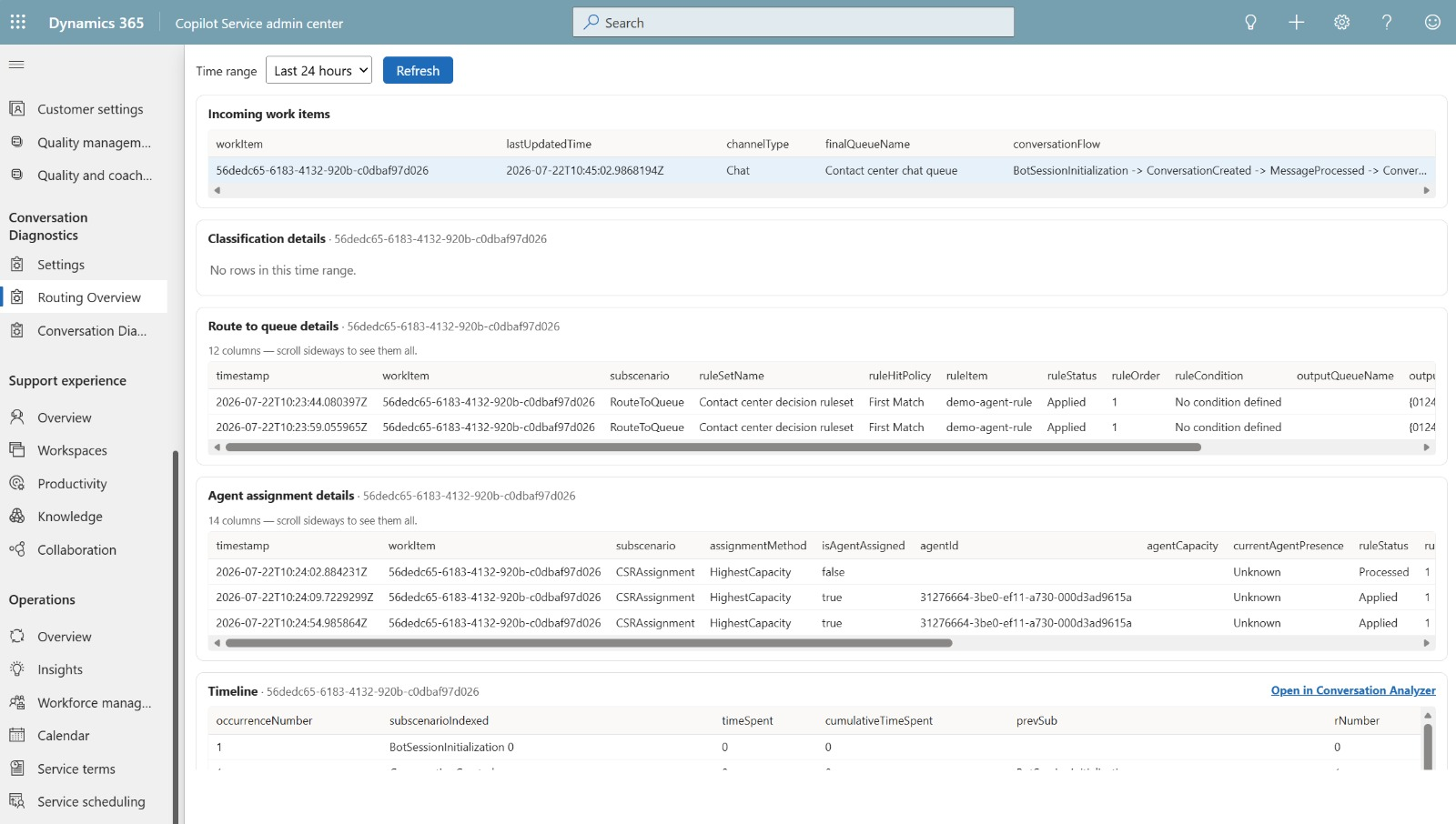
So I built Conversation Diagnostics for Dynamics 365: the FastTrack Dynamics 365 diagnostics dashboard, running inside Dynamics, with plain-language explanations of every routing decision. Your users never touch Azure.
What you get:
✅ A replica of the FastTrack Conversation Diagnostics dashboard, running inside Dynamics
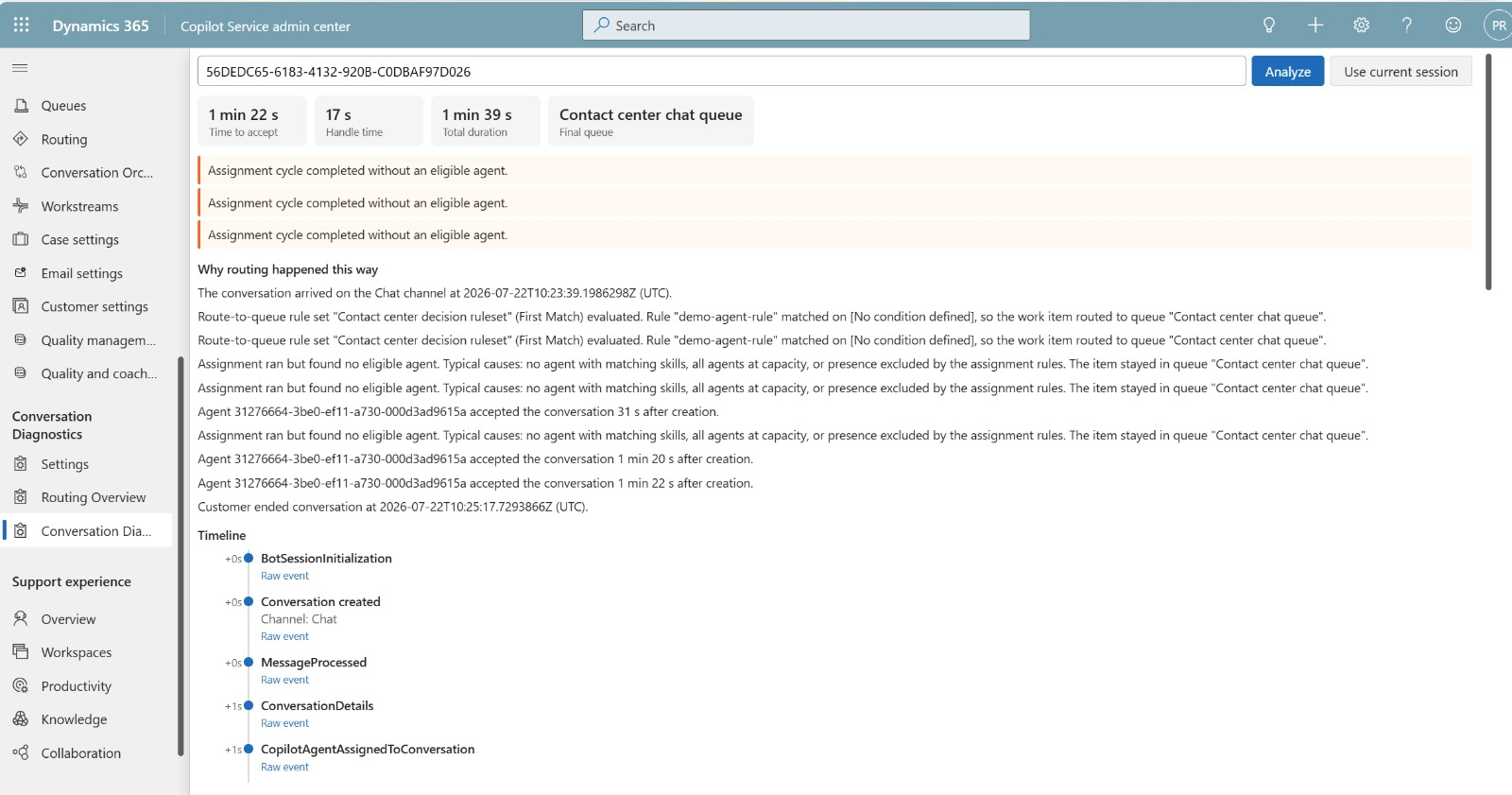
✅ Plain-language explanations of every routing decision: which rule matched, which condition fired, which queue resulted, which agent got picked and why
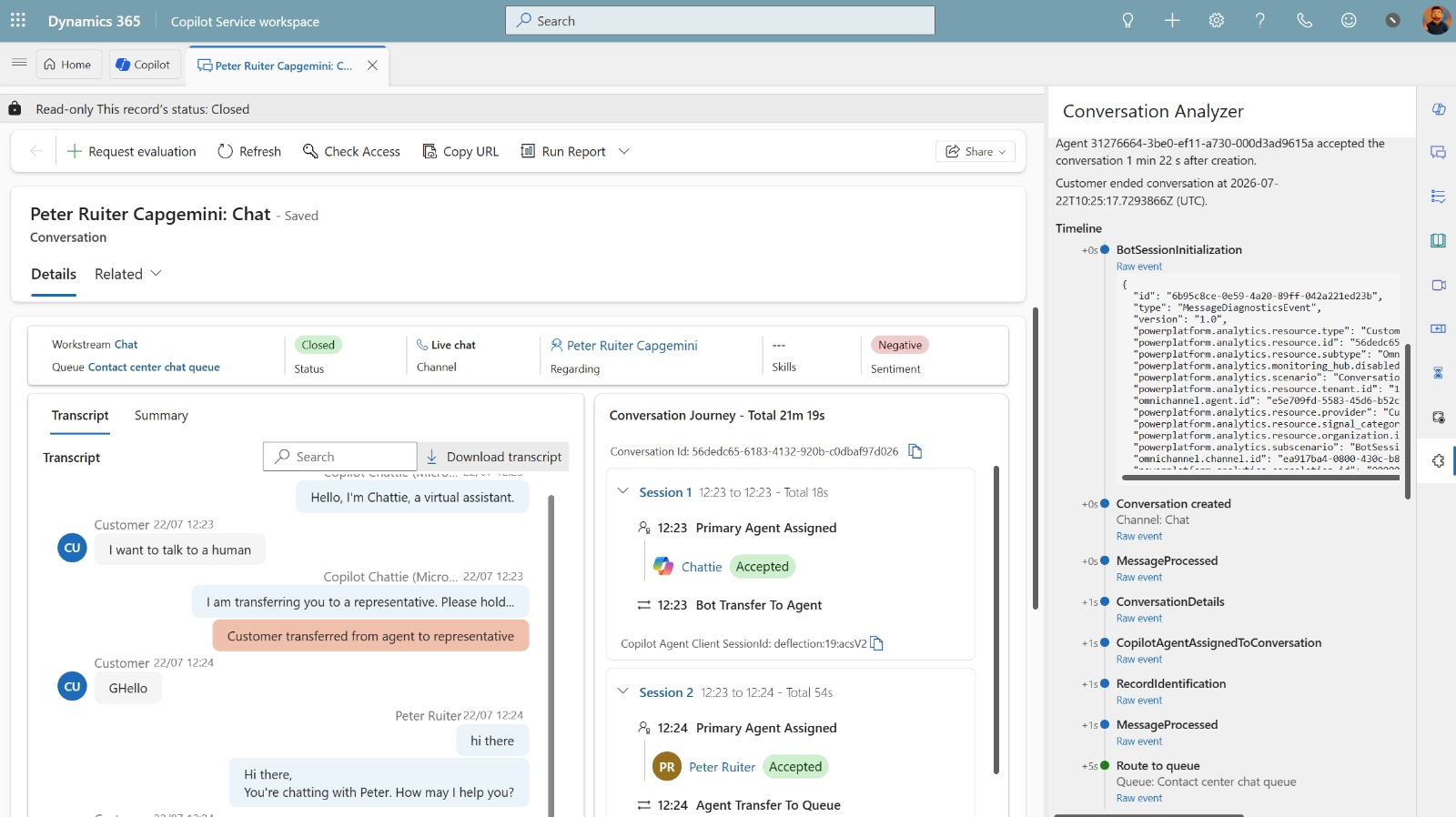
✅ A conversation analyzer for single-conversation troubleshooting, also available in the productivity pane
✅ An admin settings page, so one person configures Azure once and nobody else has to
The explanation engine is deterministic. Every sentence maps to a telemetry fact. No AI in the read path, so nothing invents a routing decision that never happened.
Under the hood, a server-side plugin queries Application Insights with client credentials. No premium connectors, no Power Automate, no staging tables.
📦 Repo: peterruiter/d365-conversation-diagnostics
🎥 Install and configuration walkthrough video: https://www.youtube.com/watch?v=tKjQUO7vpbg
---
Credit where it belongs:
The KQL comes from the Microsoft FastTrack Implementation Assets team. Their Conversation Diagnostics dashboard is the foundation this builds on, and the queries are theirs. (https://lnkd.in/e44GC3ds)
Repo structure and the productivity pane approach follow Mauricio Oliveira. If you run Customer Service and you have not seen it, go and look at his awesome stuff. (https://lnkd.in/e6XQPdUd)
Alexander Yurpolsky's d365-unified-routing-analytics gave me the idea of analysing one conversation end to end. (https://lnkd.in/euB76ex7)
MIT licensed. Issues and pull requests welcome.
Comments